Best Mouse for CPS: Features That Actually Matter
The mouse market wants you to believe high CPS comes from a famous sensor or an RGB logo. It doesn't. Click speed comes from four very ordinary things — switches, button shape, weight and surface — and once you understand them, you can pick the right mouse for your technique in minutes. Here is what actually matters, and what is just marketing.
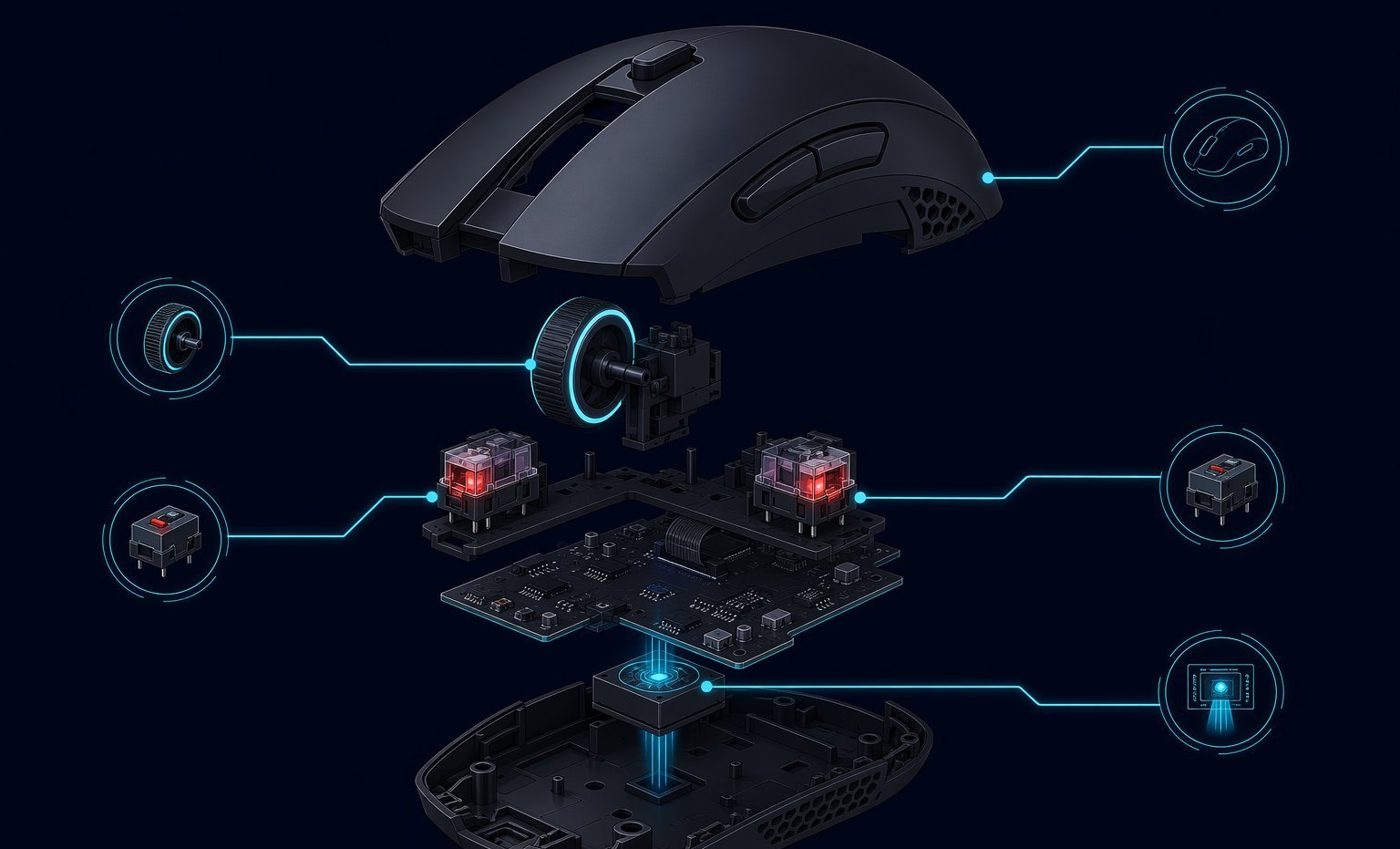
Do you need a special mouse for high CPS?
You do not need an expensive mouse to improve your click speed, but the wrong mouse can limit certain techniques. For standard clicking and jitter clicking, comfort and stability matter most. For butterfly clicking, button width and debounce behavior matter. For drag clicking, surface texture, switch behavior and coating matter a lot.
That is why a "best CPS mouse" list becomes outdated quickly. A better approach is to understand the features, then choose the mouse that fits your hand and your clicking method.
Feature 1: switches and debounce
Mechanical switches can produce contact bounce, which software debounce filters. Low debounce may help butterfly and drag clicking register more clicks, but it can also create unwanted double-clicks. Optical switches are usually cleaner and faster for ordinary input, but they often do not produce the double-click behavior some CPS players want.
It sounds backwards, but the "flaw" is the feature for some players: drag clicking only works because a vibrating mechanical contact registers many open-close events. Optical switches, which detect a light beam instead of a metal contact, are more durable and more honest — great for fair play, useless for drag-click tricks.
Feature 2: button shape
For butterfly clicking, the left button should be wide enough for two fingers and flat enough that both fingers can land cleanly. For jitter clicking, you want a stable shell that does not slide around when your forearm vibrates. For drag clicking, the surface needs enough friction to make the finger skip across the button instead of gliding silently.
Feature 3: weight and grip
Light mice are easier to move, but ultra-light does not automatically mean higher CPS. If a mouse is so light that it shakes while you jitter, your aim and rhythm suffer. Claw and fingertip grips often work best for speed, while palm grip can be more comfortable for long sessions.

A quick self-test: if your pinky and thumb leave sweat marks on the sides and the mouse twists during a 10-second jitter test, it is too light or too narrow for your hand. Stability under vibration is a feature no spec sheet lists, and it matters more for CPS than sensor resolution.
Feature 4: polling rate and software
A 1000 Hz polling rate is common and enough for most CPS testing. Higher polling can help responsiveness in some games, but debounce and button feel usually matter more for click count. Good software is useful only if it lets you adjust debounce, save profiles and avoid accidental settings changes.
How to choose
- Standard or jitter: prioritize comfort, stable shape and low click travel.
- Butterfly: prioritize wide buttons and adjustable debounce.
- Drag clicking: prioritize coating, switch bounce and rule compatibility.
- General gaming: prioritize aim comfort over the highest possible CPS number.
Buying red flags
Be careful with any mouse advertised only as "the highest CPS mouse" without explaining switches, debounce, warranty or build quality. Very low debounce can be fun for click tests, but it may also create accidental double clicks in daily work. Extremely light buttons can feel fast but become annoying if they activate when you rest your hand.
Also watch out for drag-click marketing. Some mice are excellent for ordinary aim but poor for drag clicking because the coating is too smooth or the firmware filters repeated contact. If drag clicking is your goal, look for real user tests, not just DPI, RGB or esports branding.
The bottom line
The best CPS mouse is not the most expensive one — it is the one whose buttons fit your fingers, whose weight stays stable under your fastest jitter, and whose switch behavior matches the technique you actually use. Buy for your hand and your technique, test it on a CPS counter for a week, and only then judge whether it made you faster.
Ready to check your mouse?
Test Mouse Buttons