Mouse Double Clicking? Causes, Tests and Fixes
You click once to select a file, and it opens. You drag a window, and the drag breaks halfway. That is the classic mouse double click problem, and it is almost always a hardware fault you can confirm in a minute with our double click latency test.
The symptoms: one press, two inputs
A failing switch rarely fails all at once. It starts as a rare hiccup and grows into a daily annoyance:
- Single clicks registering twice, so files open instead of selecting
- Click-and-drag dropping mid-drag, losing text selections and file moves
- Semi-auto weapons firing twice per click in games
- Menus toggling open and instantly closed
- The problem appearing only on some clicks, at some speeds, at some button angles
That last point confuses people. The fault is mechanical wear, so it depends on force and angle. A switch can behave for a week of light use and misbehave the moment you click fast.
Why mouse switches start double clicking
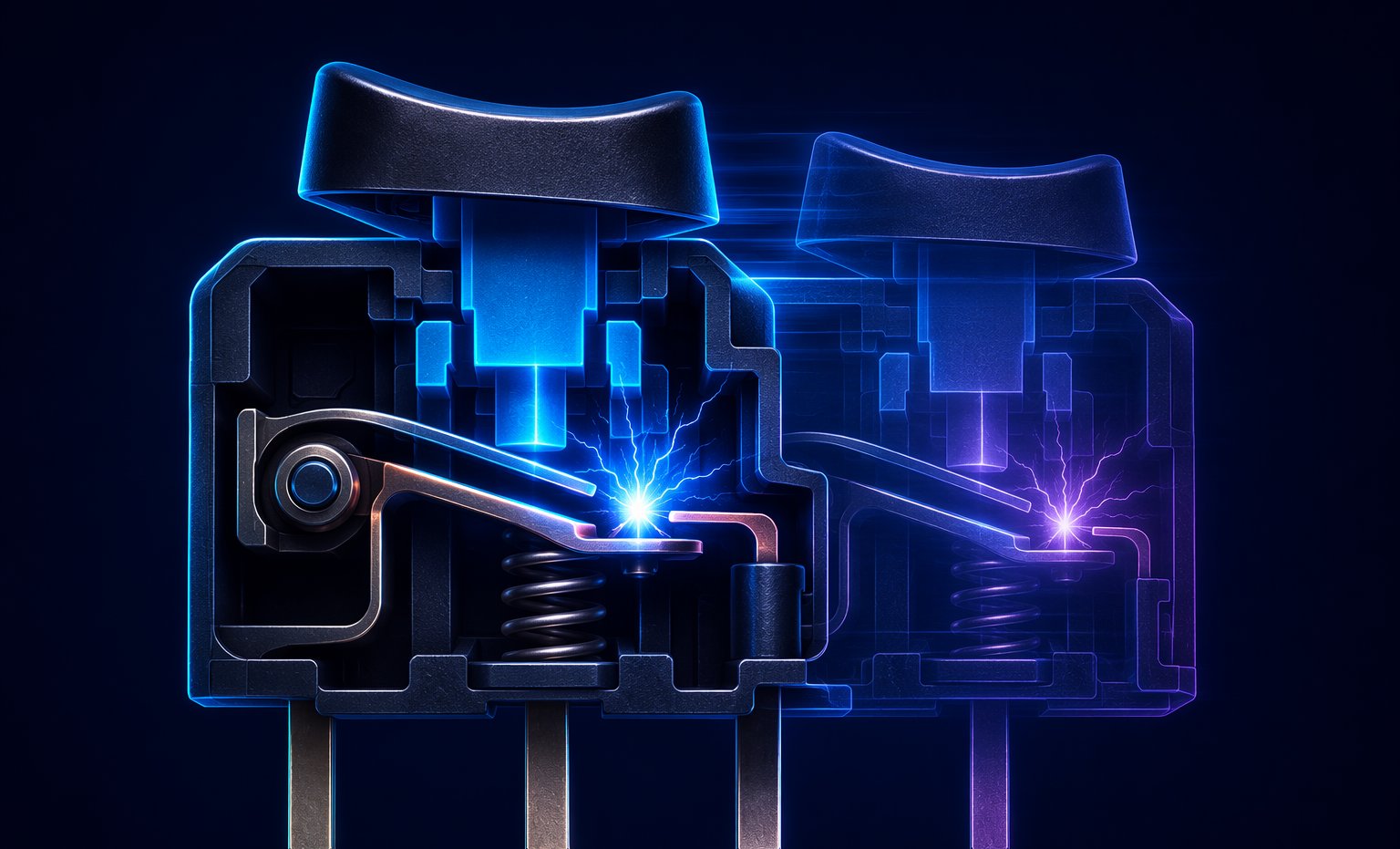
Inside every standard mouse button is a micro switch with a thin copper-alloy leaf spring. When you click, the leaf snaps two metal contacts together. Metal on metal does not land cleanly. Like a ball dropped on concrete, the contact physically bounces for up to a few milliseconds, and each bounce is a fresh electrical connection. A brand-new switch bounces too, but its bounce is short, and the mouse's firmware filters it out.
Three things make bounce worse with age. The leaf loses spring tension after tens of millions of snaps, so it settles more slowly and bounces longer. The contact surfaces oxidize and collect micro-arcing residue, which makes each connection erratic. And dust or skin oils work into the housing. This is why the left button, which takes most of the load, almost always dies first.
Lifespan ratings, optical switches and the debounce tradeoff
Omron rates its gaming switches for 20 to 80 million clicks depending on the model, and Kailh's GM 8.0 switches carry an 80 million click rating. That sounds infinite until you do the math: a MOBA or RTS player can rack up several million clicks a year, so hitting 20 million in a few seasons of ranked play is entirely normal.
Optical switches break an infrared beam instead of closing contacts, so there is physically nothing to bounce. They are structurally immune to this exact failure, which is why so many 2026 gaming mice advertise optical buttons.
The counterweight is firmware debounce. After a click, the mouse ignores further signals for a set number of milliseconds. Enthusiasts lower debounce for faster response and to enable techniques like drag clicking (see our mouse debounce time guide). The trade: at 0-4 ms debounce, a worn switch's bounce is suddenly long enough to slip through, and the mouse develops a double click problem that was really there all along.
Fun fact: bounce is a feature for some players and a bug for everyone else. The drag clicking community deliberately seeks bouncy switches and low debounce to turn one press into a 20+ CPS burst, while an office user with the same physical behavior just wants to rename a folder. Our CPS tips guide shows how the technique works when it is intentional.
How to test a mouse for double clicking
You can confirm a bouncing switch without opening anything:
- Open our double click latency test.
- Click once to start the millisecond counter, then click again to finish the pair.
- Repeat 20 to 30 pairs per button at your normal click force.
- Watch for extremely fast intervals you did not intend. Deliberate human double clicks land around 80 to 150 ms. Switch bounce shows up at 1 to 30 ms.
- Cross-check on the mouse button test: one clean press should light the button exactly once.
Test both buttons. Bounce is usually worst on the button you use most, and catching it at the once-a-day stage gives you far more repair options.
Fixes, from free to full surgery
Free and instant. Vendor software from Logitech, Razer, Glorious and others exposes a debounce slider. Moving from 4 ms to 10 ms masks mild bounce completely. The cost is a few milliseconds of click latency, which most users will never feel.
Compressed air aimed into the button seam while clicking rapidly dislodges dust from the contacts. It sounds too simple, but when debris is the cause it works immediately.
A drop of isopropyl alcohol or a dedicated contact cleaner worked into the switch with 50 quick clicks can strip oxide off the contacts. Results range from a permanent fix to a few months of relief, but the cost is near zero.
Replacement Omron or Kailh switches cost a couple of dollars, and the swap takes a soldering iron and fifteen minutes. A classic trick: transplant the rarely used middle-click switch into the left button position.
Double clicking is a recognized defect, and major brands typically offer two-year warranties. Check your coverage before opening the shell, because opening it usually voids the claim.
When to stop repairing and replace
If two buttons are bouncing, the grips are worn smooth and the cable is fraying, repair economics flip. A solid budget mouse with fresh 50-million-click switches costs less than an evening of frustration. Before you buy, our best mouse for CPS guide explains which switch types and shapes actually matter, and the mouse button testing guide helps you verify the new one straight out of the box.
The bottom line
A mouse that double clicks is not cursed, infected or misconfigured. It is a copper leaf spring asking for retirement. Confirm it with the test, bump debounce if you need the mouse alive tonight, then RMA it if you can and re-solder if you cannot. And if you end up shopping, optical switches delete this entire category of problem.
Ready to check your own gear?
Double Click Latency TestFrequently asked questions
Why does my mouse double click when I only click once?
The metal contacts inside the micro switch physically bounce when they meet. A worn copper-alloy leaf bounces longer than the firmware debounce window, so the extra contacts register as a second click. Oxidation and dust make it worse.
Can I fix a double clicking mouse without opening it?
Often, yes. Raise the debounce time in the vendor software, blow compressed air into the button seam while clicking, or work a drop of isopropyl alcohol into the switch. These fixes are free and take minutes, though severe wear still needs a switch replacement.
Does increasing debounce time fix double clicking?
It masks the symptom rather than repairing the switch. Moving from 4 ms to 10 ms debounce hides mild bounce completely, at the cost of a few milliseconds of click latency. The underlying wear continues, so treat it as a bridge to a real repair or replacement.
Are optical mouse switches really immune to double clicking?
Structurally, yes. Optical switches register a broken light beam instead of closing metal contacts, so there is nothing to bounce. They cannot develop the classic wear-based double click fault, which is why many 2026 gaming mice advertise them.
Is a double clicking mouse covered under warranty?
Usually. Double clicking is a recognized hardware defect, and major brands like Logitech and Razer typically offer two-year warranties. Contact support before opening the mouse, since disassembly generally voids coverage.